Agree on the currency before you agree on the price
A fee of 1,000 means little without a currency. Put the currency code on the proposal and invoice, agree on who pays transfer charges, and explain how long any converted quote remains valid. This avoids an exchange-rate disagreement after the work is delivered.
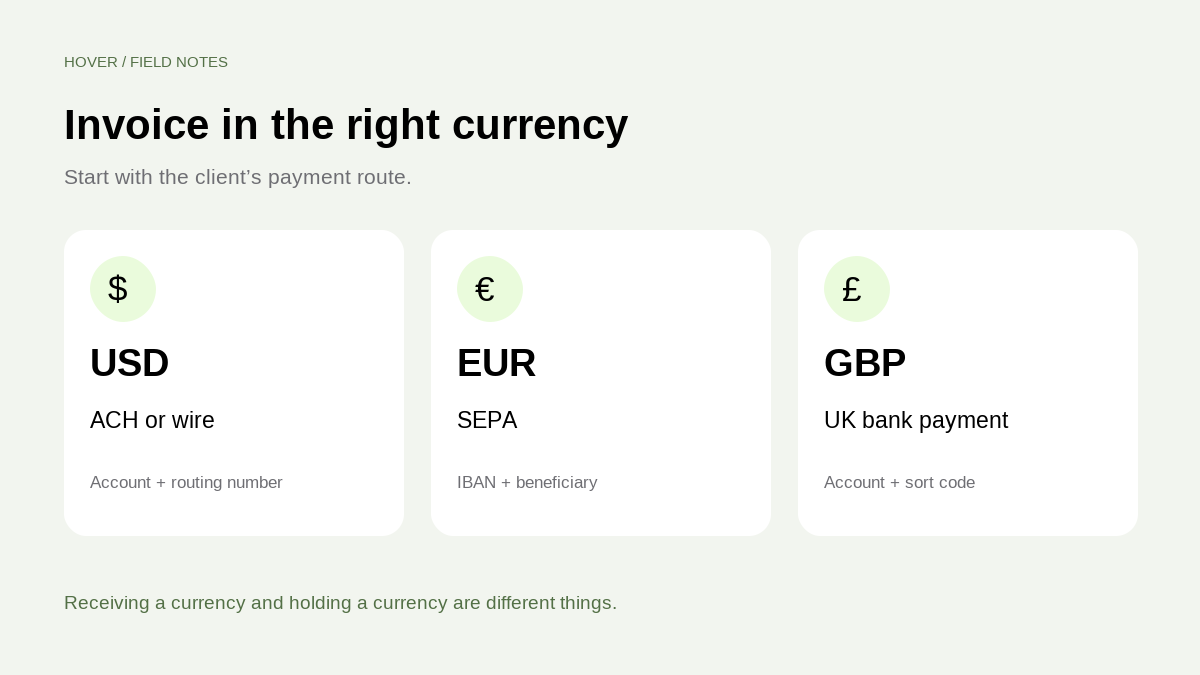
USD: confirm ACH or wire instructions
The Federal Reserve describes ACH as a network for electronic credit and debit transfers between depository institutions. It is a different payment method from a wire. When a client asks for USD details, confirm which route your receiving account accepts rather than treating the two as interchangeable.
Copy the routing number and account number from the instructions for that route. Do not assume a bank account accepts international wires simply because it accepts a domestic USD transfer. Ask the provider if the client’s proposed method is unclear.
EUR: check that the payment is a supported SEPA transfer
The European Central Bank’s SEPA overview explains that SEPA supports cashless euro payments across participating countries, including some outside the EU. It is a payment area, not a synonym for every European country or currency.
For a EUR invoice, share the beneficiary name and IBAN shown in your account, plus any BIC or other details the provider requires. Confirm the supported scheme and arrival estimate. Having an IBAN alone does not guarantee that a payment will be instant.
GBP: use the UK account instructions supplied
Pay.UK operates the Faster Payment System. Ask whether your GBP receiving account accepts that route and use its account number and sort code. Other UK payment methods can have different requirements, so follow the instructions in the receiving account.
A practical way to choose
| Your situation | What to compare |
|---|---|
| Most clients and expenses are in USD | USD invoicing may reduce repeated conversions. |
| Client pays in EUR; your costs are local | Compare direct EUR receipt and local payout against a USD route. |
| UK client can only make domestic GBP payments | Confirm GBP account eligibility and the accepted UK payment method. |
| You spend in several currencies | Check whether the provider holds those currencies or converts on receipt. |
Receiving a currency is different from holding it
Read what happens after money reaches the receiving account. A provider may hold the original currency, convert it automatically, or credit a different asset. Do not promise yourself control over conversion timing until you have checked those terms.
In Hover, USD, EUR and GBP are virtual-account receiving options. The app’s underlying balance is USDC, so these details do not mean you are holding separate dollar, euro and pound bank deposits. Bank conversion and withdrawal options depend on the supported route.
Use expenses to set a plan, not exchange-rate guesses
If you have a local-currency bill due soon, keeping all your income in another currency leaves that bill exposed to rate changes. Compare the current payout with the amount you need and the payment deadline. This guide is about choosing a payment route, not forecasting which currency will rise.
For the cost calculation, use our international-payment comparison guide.